
🔍 Introduction
Ever wonder how attackers actually get into a system? That’s where the attack vector comes in. Think of it as the doorway a burglar uses to break into a house. The burglar doesn’t care about the house’s layout; they just need one unlocked window or a spare key under the mat. In cybersecurity, an attack vector is exactly that—the path or method an attacker uses to gain unauthorised access to a system, network, or device.
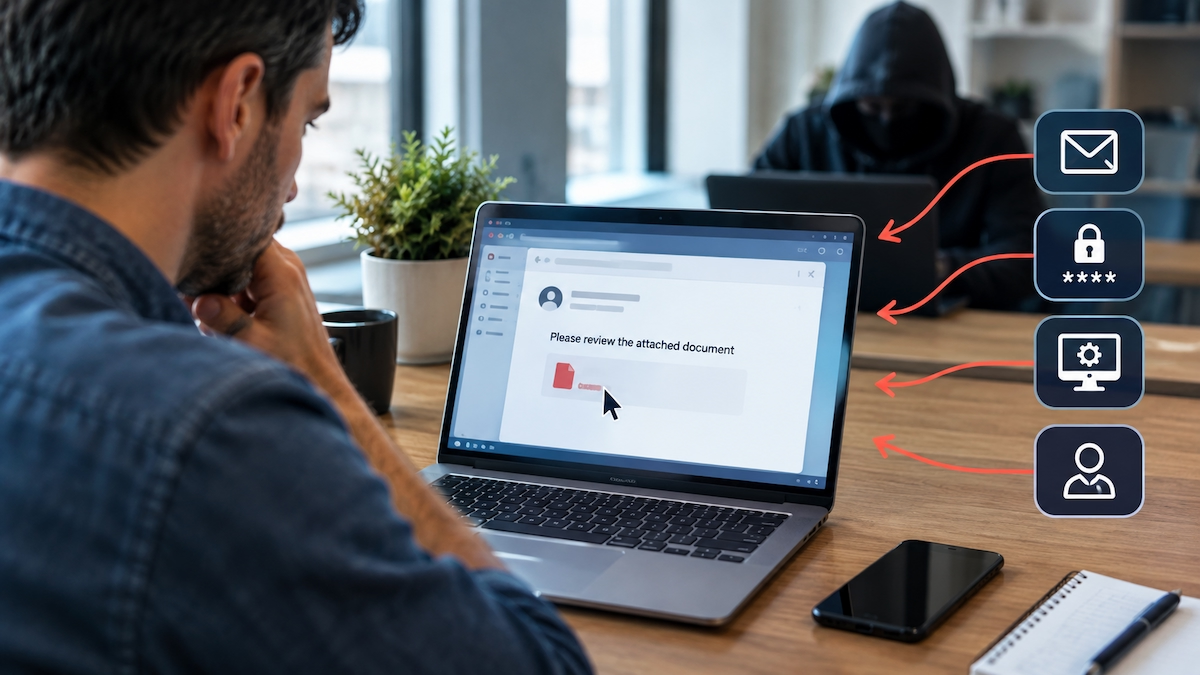
Understanding attack vectors matters because you can’t defend what you don’t understand. If you know the common ways attackers get in, you can start locking those doors. 🔐
📚 Detailed Explanation
An attack vector is the route or pathway an attacker exploits to breach a system’s security. It’s not the attack itself, but rather the how of the attack—the entry point. Attackers look for the easiest, least protected way in.
Here’s the thing: most successful attacks don’t involve sophisticated hacking. They exploit basic weaknesses—a careless click, an unpatched system, or a weak password. The attack vector is often something mundane, which is why it’s so effective.
🚪 Common Attack Vectors
Let’s break down the main types:
📧 Phishing and Social Engineering
- Attackers trick people into revealing credentials or clicking malicious links.
- This is one of the most common vectors because it targets human psychology, not technology.
- Emails, texts, or even phone calls can be used.
💾 Malware and Ransomware
- Malicious software delivered via downloads, email attachments, or compromised websites.
- Once installed, it can steal data, lock files, or give attackers remote access.
🌐 Unpatched Software and Vulnerabilities
- Outdated systems with known flaws are easy targets.
- Attackers scan for these weaknesses and exploit them before patches are applied.
🔑 Weak or Stolen Credentials
- Default passwords, reused passwords, or credentials bought on the dark web.
- Once an attacker has valid login details, they can walk right in.
📡 Network-Based Vectors
- Exploiting unsecured Wi-Fi, poorly configured firewalls, or open ports.
- Man-in-the-middle attacks fall into this category.
🏢 Insider Threats
- Employees or contractors with legitimate access who misuse it—whether intentionally or accidentally.
- This vector is tricky because the attacker already has trusted access.
🔌 Physical Vectors
- USB drops, stolen devices, or direct access to hardware.
- Never underestimate the power of a lost laptop or a rogue USB stick.
🧠 Why Attack Vectors Matter
Focusing on attack vectors helps you prioritise defences. You can’t protect everything equally, but you can identify the most likely entry points and harden them. It’s about thinking like an attacker: where would you try to get in?
🌍 Real-World Example
Imagine a mid-sized company where an employee receives an email that looks like it’s from HR. It asks them to review an updated policy by clicking a link. The link takes them to a fake login page that captures their credentials. The attacker now has valid access to the company’s internal systems.
The attack vector here was phishing—specifically, a crafted email that exploited trust and curiosity. No sophisticated hacking required. Just a convincing email and a moment of carelessness.
This is why training people to spot phishing attempts is just as important as installing firewalls. The best lock in the world won’t help if someone hands over the key. 🔐
⭐ Key Points
- An attack vector is the path or method an attacker uses to gain unauthorised access.
- It’s about how an attack happens, not the attack itself.
- Common vectors include phishing, malware, unpatched software, weak credentials, network flaws, insider threats, and physical access.
- Most attacks exploit simple weaknesses, not advanced exploits.
- Understanding attack vectors helps you prioritise defences and think like an attacker.
- Human error is often the weakest link—social engineering is a powerful vector.
❓ Knowledge Check
Test your understanding with these questions. No peeking! 😉